Import CAD / mesh files
Bring in job geometry, set units, sheet size, cutter spacing, and nesting quality from a guided setup page.
 Jotteea Nester
CAD/CAM nesting software for CNC shops
Jotteea Nester brings CAD import, sheet setup, common-line nesting, shared-line cutting, part copies, tab control, drill grouping by size, tool assignment, Tool Database speeds, DXF export, and posted machine code into one simple workflow.
Monthly subscription through Lemon Squeezy. Windows desktop installer.
Why it exists
Jotteea Nester was built from the practical side of CNC work: load the file, set the sheet and cutter clearance, use common-line/shared-line nesting where it helps, choose copies, review the nest, build toolpaths, and export what the machine or customer needs.
It is made for sheet-good jobs where speed, material use, shared cuts, clarity, and review matter. The workflow is intentionally page-based so customers can move from setup to preview to machine settings to export without hunting through a crowded screen.
Watch it work
This newer software preview shows the workflow customers care about: importing parts, reviewing the nested sheet, checking common-line/shared cuts, and understanding the flat toolpath preview before export.
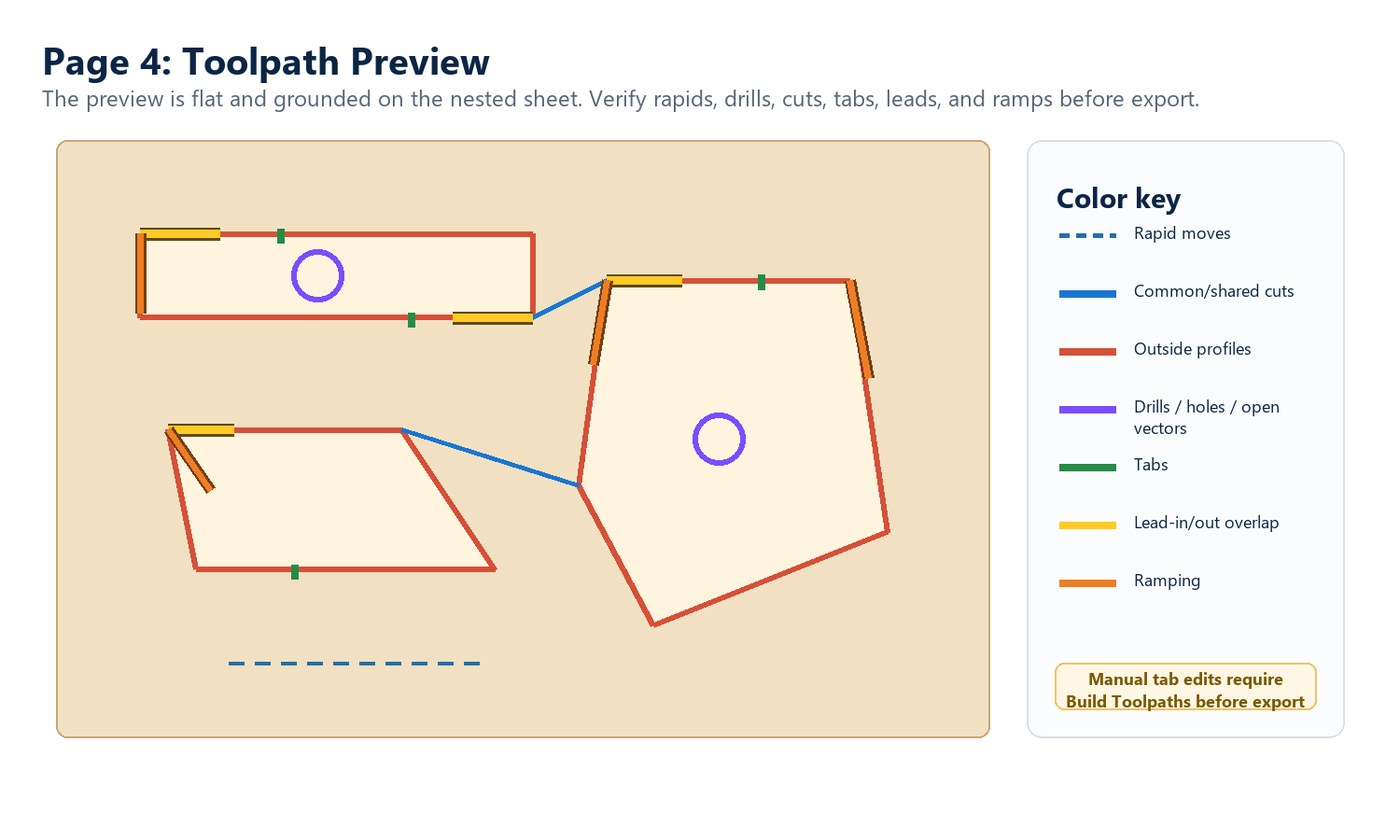
Common-line nesting and shared-line cutting help avoid cutting the same edge twice when parts can share a cut. The grounded preview keeps rapids, common cuts, profiles, drills, tabs, leads, and ramps clear before the file goes to the machine.
Sales points
The goal is simple: reduce the back-and-forth between drawing, common-line nesting, tabbing, checking, and exporting.
Bring in job geometry, set units, sheet size, cutter spacing, and nesting quality from a guided setup page.
Name parts and set copy counts so the preview and output use clear customer-friendly part labels.
Apply automatic tabs, adjust tab settings, and support interior dogbones during nesting where needed.
When parts can share an edge, common-line cutting helps reduce duplicate profile cuts and keeps the nested sheet efficient.
Group holes by detected diameter, assign drill tools line by line, or let the cutter route holes that match or exceed the cutter size.
Save tool numbers, names, diameters, feed, plunge, spindle RPM, jog speed, and type so posts can use tool-specific settings.
Use a grounded static preview to review dotted rapid moves, common-line/shared cuts, profiles, drill/hole paths, engraving, leads, ramps, and tabs.
Export nested-part DXF or selected machine code after the job has been built and reviewed.
Need a new machine post or a fix to an existing one? Send machine details, sample work, and current post files for review.
Product pictures from the final build
These reference images come from the final Jotteea Nester v19.17 user guide. Click any screenshot to enlarge it for a closer look.
Color-coded output keeps dotted blue rapids, solid blue common-line/shared cuts, red profiles, purple drills/holes/open vectors, green tabs, yellow lead-ins, and orange ramps visible without a confusing 3D view.
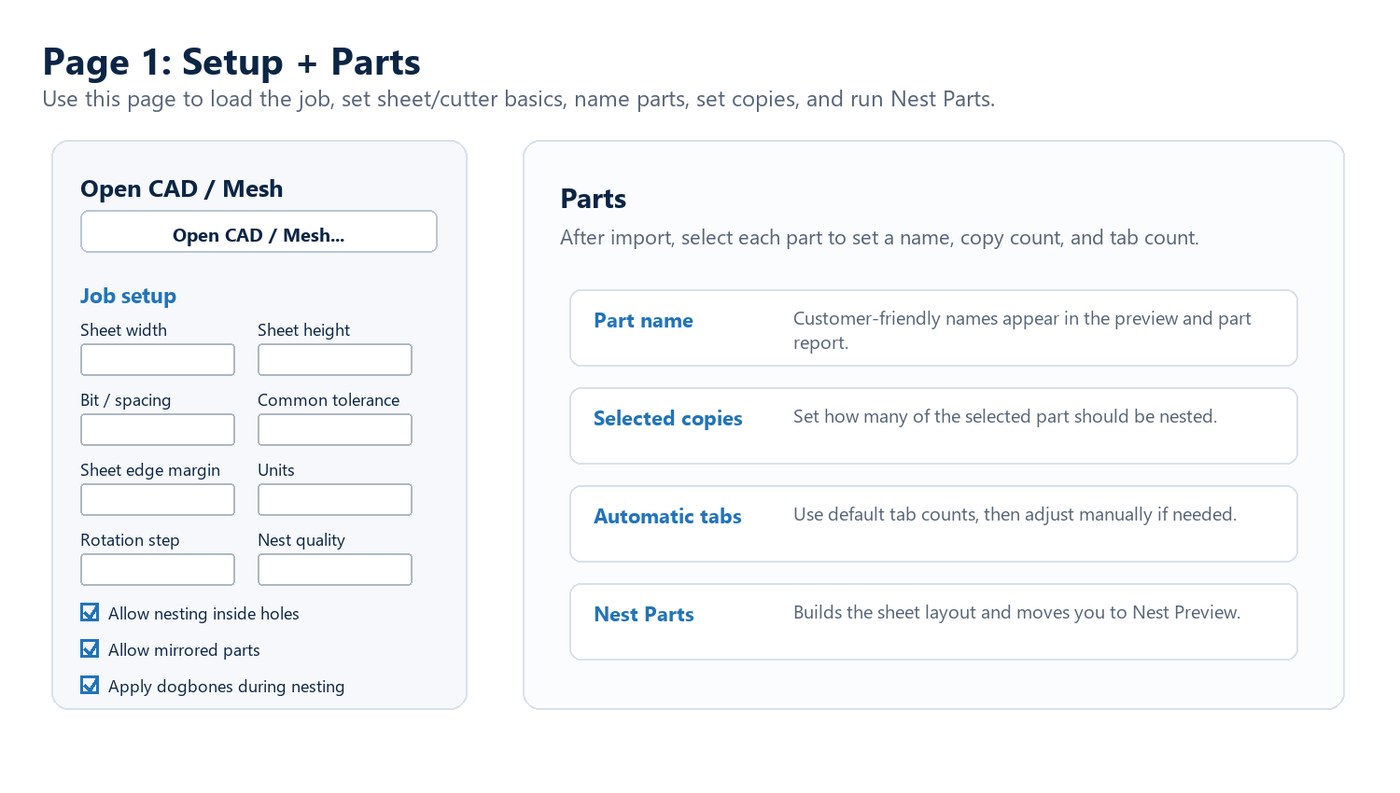
Load CAD, enter sheet and cutter settings, set copies, name parts, and start nesting.
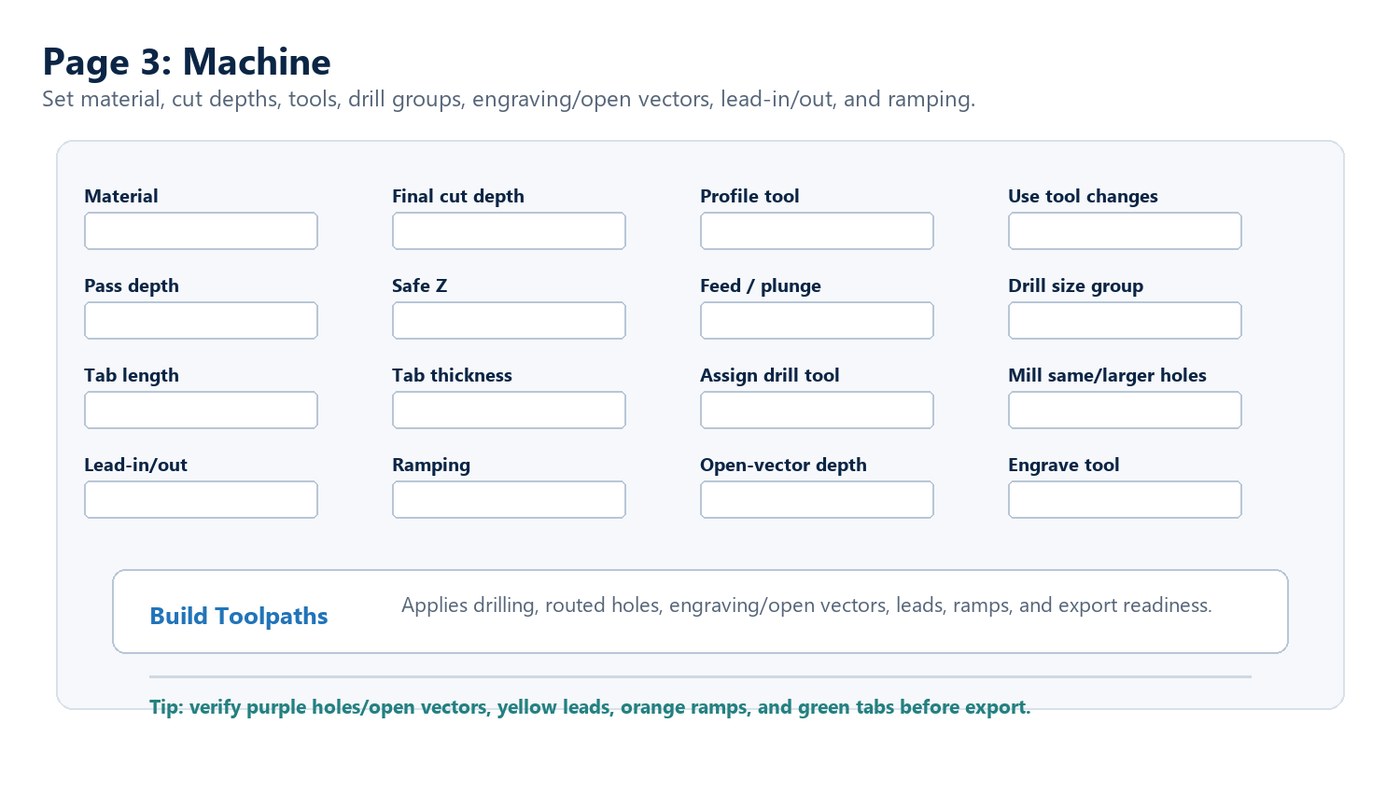
Material, depths, safe Z, leads, ramps, Tool Database selection, drill groups, and engraving settings in one place.
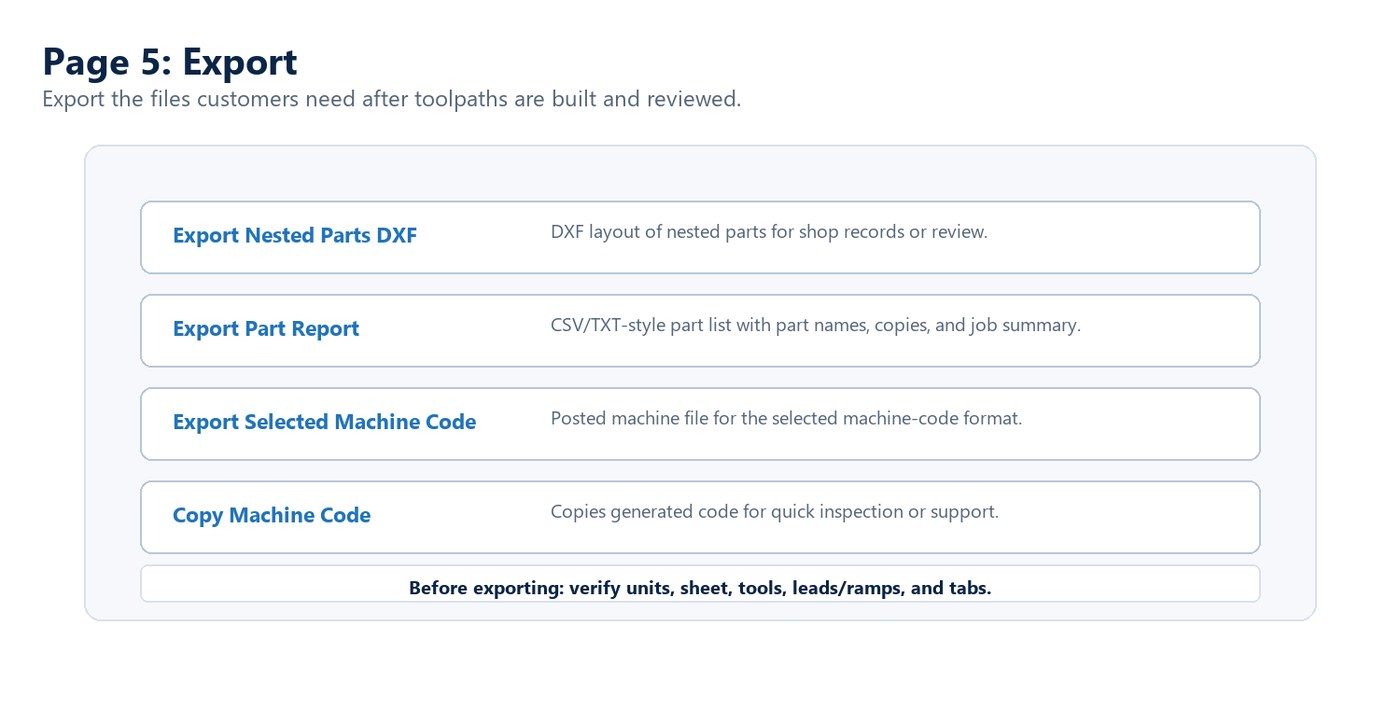
Export nested DXF or machine code after the toolpaths are reviewed.
How it works
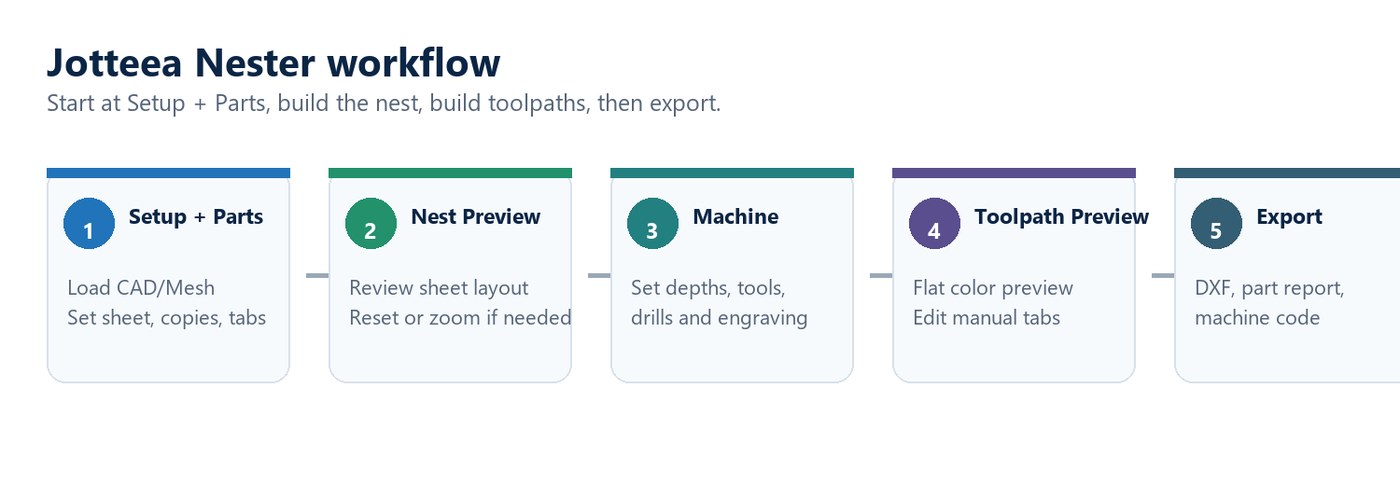
“Built by a shop owner for shop owners — powerful enough to be useful, simple enough to keep work moving.”
Try Jotteea Nester
Use the trial to run real shop files, review the workflow, and confirm the output matches your machine and post requirements before relying on it in production.
Subscription and checkout handled securely through Lemon Squeezy.
Before you cut
Sheet-good nesting workflows where you need to lay parts out, use common-line/shared-line cutting where practical, add tabs, check toolpaths, and export quickly.
No. Always verify the posted code, machine setup, tools, zero position, clearances, and preview before cutting.
Yes. The workflow includes nested DXF export along with selected machine-code output.
Machine settings include drill grouping, Tool Database tool assignment, cutter-milled hole handling, and open-vector/engraving options.